Hansel Find network

The Hansel Find network. Minimal effort. Maximum visibility.

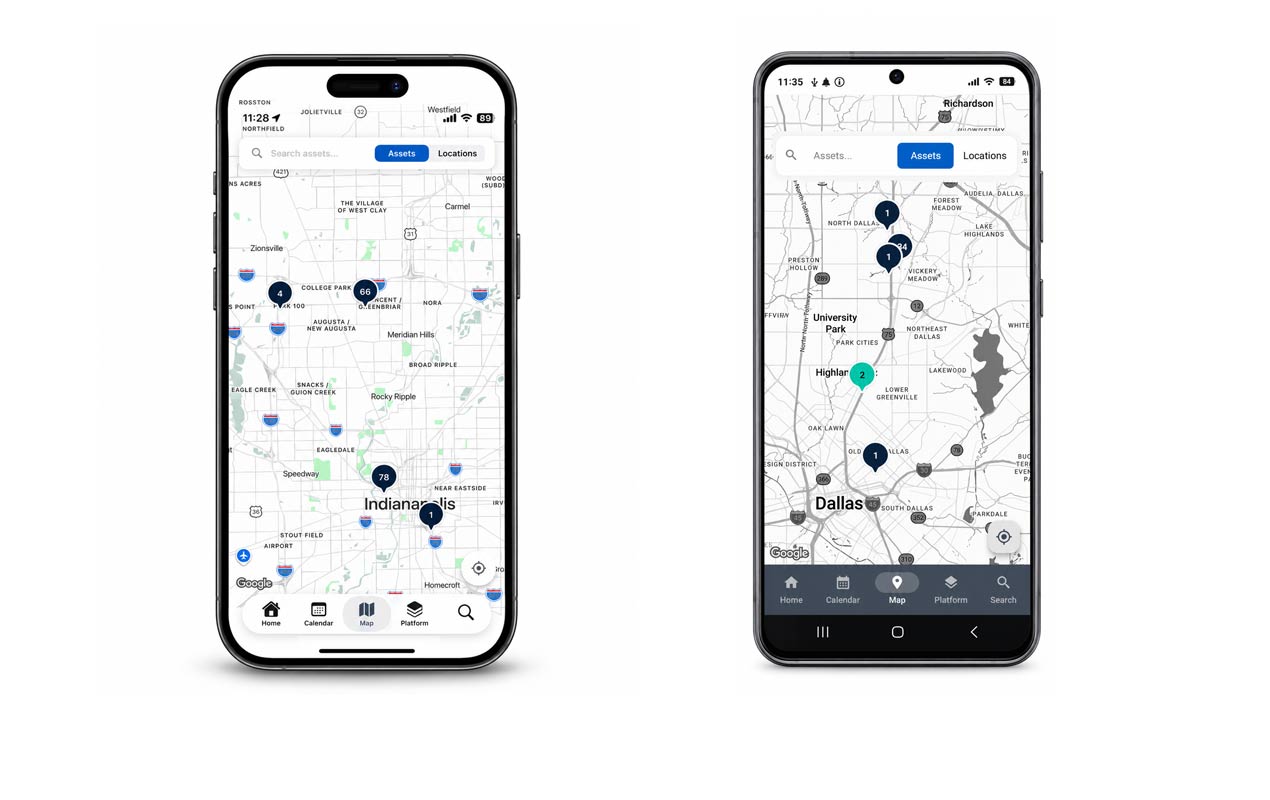
Hansel Find turns phones and workstations, along with teams at facilities, into one connected detection network — from the warehouse, to the facility, down to the room.

ways to detect an asset
4
ways to detect an asset
hardware gateways required
0
hardware gateways required
level precision with anchors
Room
level precision with anchors
H Tagged · Spine Set SP-2041
Hansel App
Tracking Only
Windows & Mac
Location Anchors

From the city streets to the exact room

Scroll to zoom in. Each layer of the network adds a new way to see your assets — and every layer feeds the same platform.

01 · Hansel users

Your team is the network

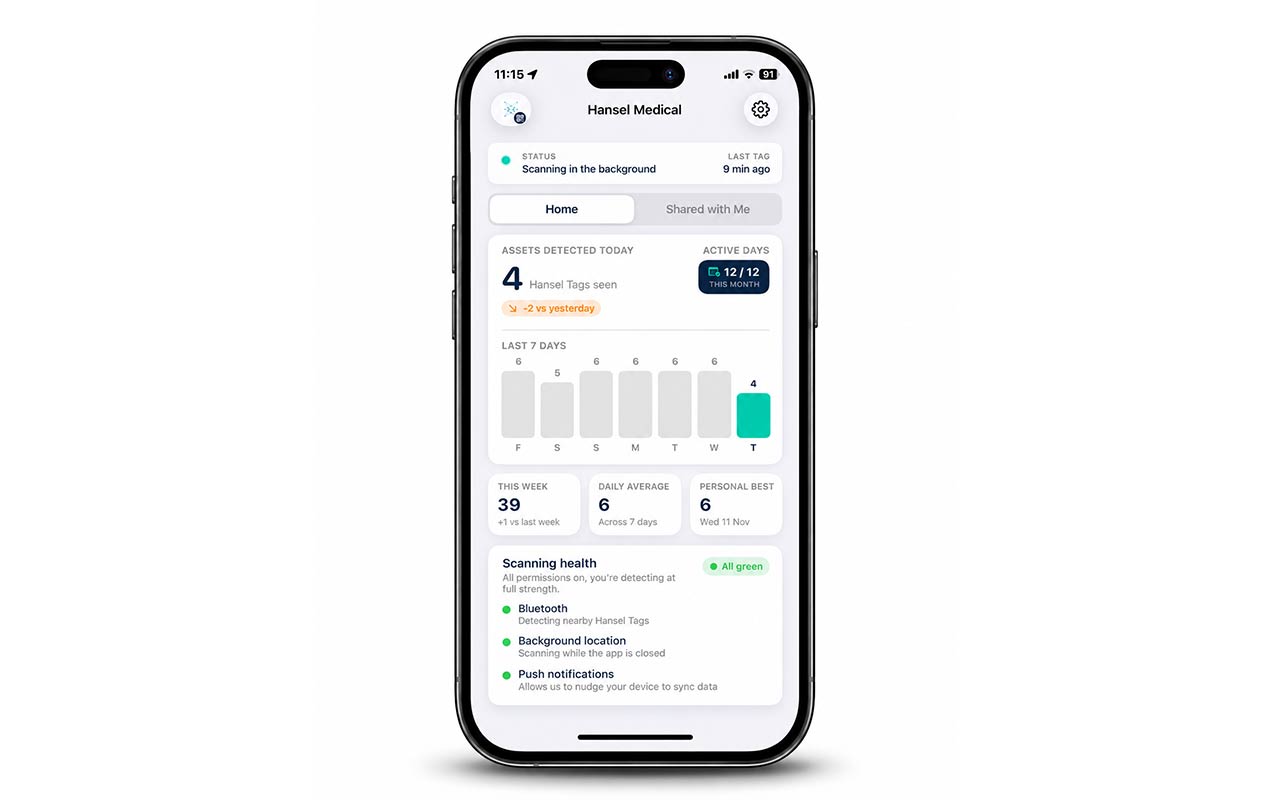
Every rep running the Hansel mobile app is a moving detector. While they get on with their day — scheduling cases, auditing kits, checking inventory — the app quietly picks up nearby assets and reports where they are.

  • Tracking in the background

    Assets are detected automatically as reps move between warehouses, hospitals and surgery centers.

  • Scheduling built in

    Book cases and assign kits in the same app that is tracking them — no switching tools.

  • Audits in minutes

    Walk a facility, confirm what is on site and reconcile discrepancies on the spot.
23 3 6 St. Mary's Hospital Scheduling Auditing Tracking
Hansel mobile app showing nearby assets and today's case schedule
02 · Tracking Only users

Sign up with a mobile number. Start helping.

Tracking Only lets sterile processing teams join the network in seconds — no accounts to provision, no training required. When reps aren't on site, SPD keeps assets visible.

  • Just a mobile number

    SPD staff sign up with their phone number and their device starts contributing to tracking straight away.

  • Coverage when reps are away

    Kits sitting in decontamination or sterile storage stay visible long after the rep has left.

  • Shared asset lists

    Customers can share asset lists so on-site teams can review exactly which items are at the facility while they're there.

WARDS ADMIN IMAGING PHARMACY OR SUITE RECOVERY LOADING DOCK STERILE SPD Shared asset list 12 of 14 items on site
Tracking Only app showing a shared list of assets currently on site
03 · Hansel Find for Windows & Mac

Turn workstations into tracking gateways

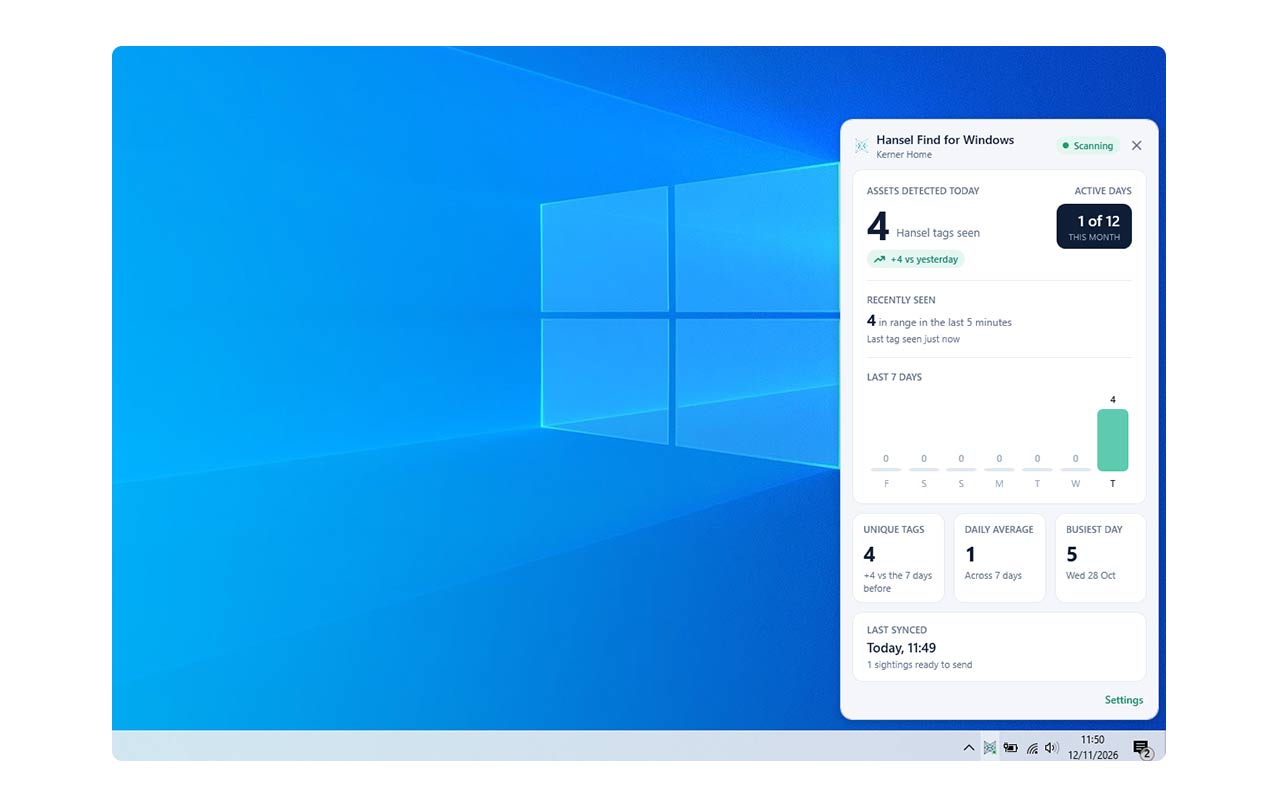
Install Hansel Find on the computers that already live in your facilities — in the OR, at the nurses' station, in the stock room — and they detect assets as they come into range. No hardware gateways to buy, mount or maintain.

  • Windows
  • macOS
  • Always-on, fixed coverage

    Workstations stay put, so you get reliable detection exactly where it matters most.

  • Single install or enterprise rollout

    Set up one machine in minutes, or deploy across your entire estate with your existing IT tooling.

  • No new hardware

    Enable tracking across every site using the computers you already own.

OR 1 OR 2 OR 3 OR 4 Hansel Find · Windows Detected SP-2041 · in range
Hansel Find desktop app showing assets detected near the workstation
04 · Location Anchors New

Know the room, not just the building

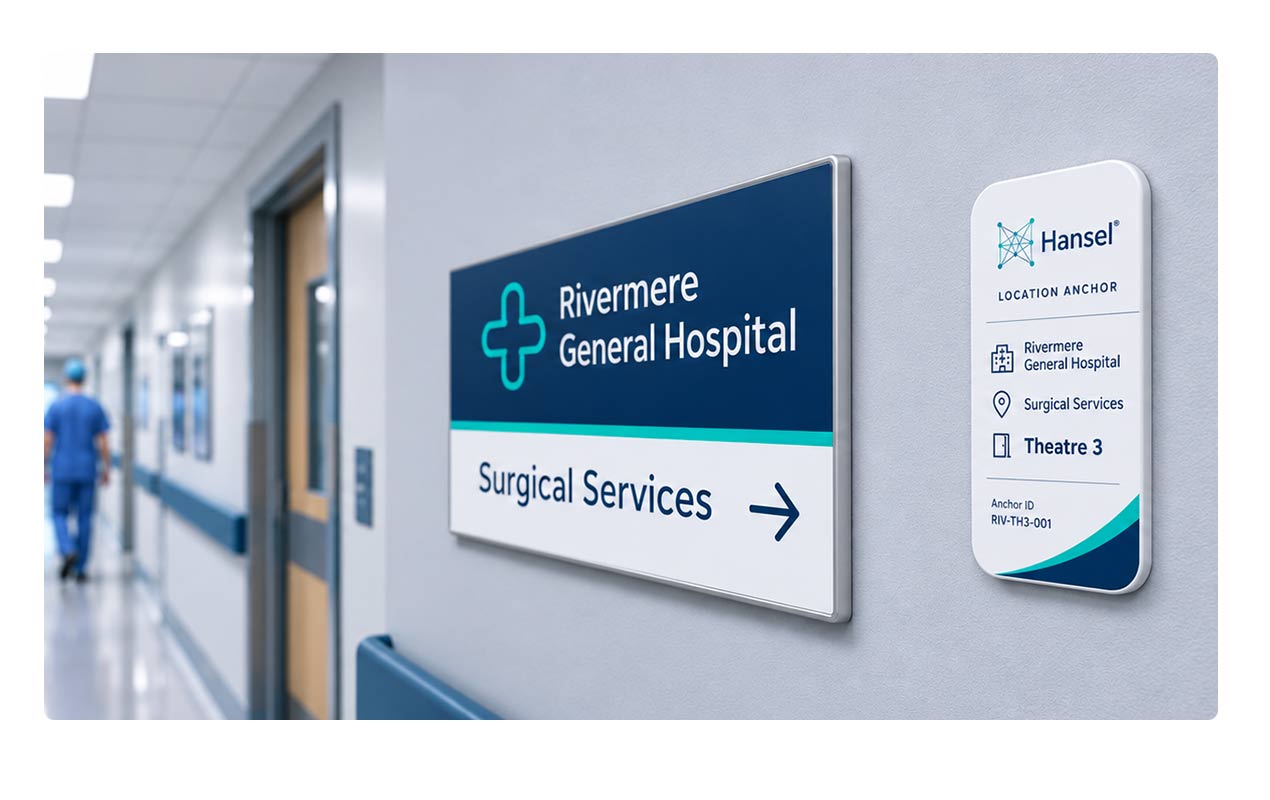
Our newest addition to the platform. Specially provisioned Hansel tracking cards act as location anchors, telling you an asset is in a particular room, zone or department — making in-building tracking cost effective and achievable with minimal lift.

  • Room, zone & department level

    See that a kit is in OR 4's storage alcove — not just "somewhere in St. Mary's".

  • Provisioned by Hansel

    Anchor cards arrive ready to place. Stick them in a room, assign the room in the platform, done.

  • Minimal lift, low cost

    No cabling, no site survey, no infrastructure project — indoor precision without the price tag.

OR 4 PREP AREA STERILE FIELD STORAGE ALCOVE SP-2041 OR 4 · Storage alcove
Hansel platform showing an asset located in a specific room and zone
23 3 6 St. Mary's Hospital Scheduling Auditing Tracking
WARDS ADMIN IMAGING PHARMACY OR SUITE RECOVERY LOADING DOCK STERILE SPD Shared asset list 12 of 14 items on site
OR 1 OR 2 OR 3 OR 4 Hansel Find · Windows Detected SP-2041 · in range
OR 4 PREP AREA STERILE FIELD STORAGE ALCOVE SP-2041 OR 4 · Storage alcove
Hansel App Across the city
Tracking Only Inside the hospital
Hansel Find for Windows & Mac In the OR suite
Location Anchors Down to the room

Spine Set · SP-2041

A day in the life of one kit

Different people, different devices, one continuous record. Here is how the network hands a single kit from one detector to the next.

  1. 07:10
    Hansel App Central Warehouse

    Picked up for the day's first case

    Jordan collects the kit while reviewing today's schedule. Her Hansel app logs it leaving the warehouse.

  2. 08:05
    Hansel Find for Windows & Mac St. Mary's · OR Suite

    Detected passing the nurses' station

    The OR workstation running Hansel Find for Windows picks the kit up the moment it comes into range.

  3. 08:20
    Location Anchors OR 4 · Storage alcove

    Placed in the right room

    A location anchor confirms the kit is in OR 4's storage alcove, ready for the 08:30 case.

  4. 11:45
    Hansel App OR 4

    Case complete, contents audited

    Jordan runs a quick audit in the app, confirms usage, and heads to her next case across town.

  5. 13:30
    Tracking Only St. Mary's · SPD

    Seen in decontamination

    Maria in SPD — signed up with just her mobile number — keeps the kit visible and checks it against the shared asset list.

  6. 16:00
    Location Anchors Sterile Storage · Bay 2

    Reprocessed and ready

    After reprocessing the kit is shelved in sterile storage. Its room-level location updates automatically.

6

detections

4

methods

0

phone calls

Ready to see what Hansel Medical can do for your team?

Book a 15-minute demo. No pressure, no pitch deck — just the product.